What Avana does, and what it does not

Six things, done carefully. Everything on this page is in the app today unless it says otherwise.

Everyone on one map

Open the app and see the whole nest. Each person shows how long ago their phone reported, how accurate the fix was and how much battery is left.

  • Positions update about every four minutes while sharing is on
  • Old positions are greyed out and labelled
  • If a phone stops reporting, you are told

Places and arrival alerts

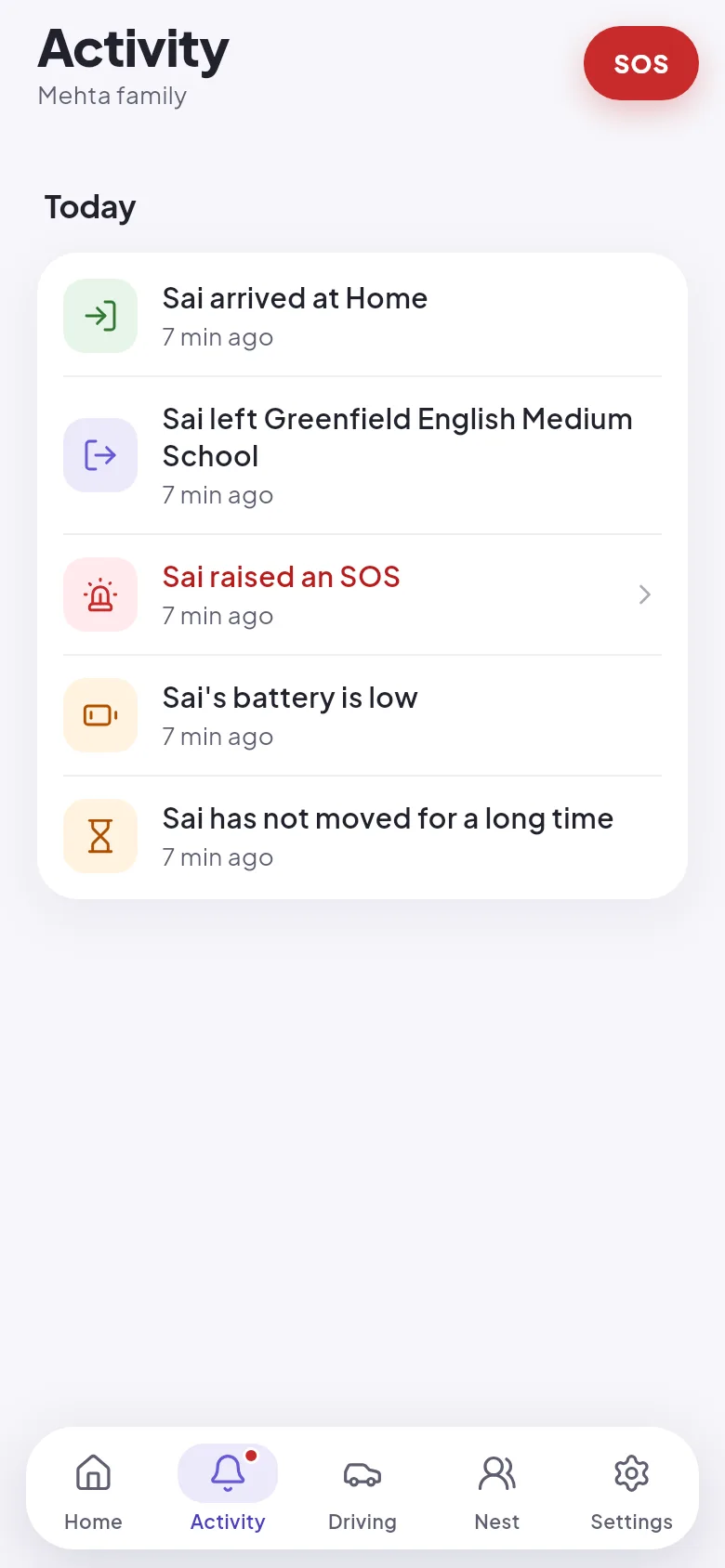
Mark home, school, the office or anywhere else with a circle on the map. When someone in your family enters or leaves it, the others get a notification and it is added to the activity list.

  • Choose how wide each place is
  • Mute alerts for a place without deleting it
  • Alerts carry no names or places through Google's servers
The Activity screen listing arrivals, departures, an SOS and a low battery warning.

A day, as places and times

Tap a person to see where they stayed today and for how long. You get a short list of stops with times, which is easier to read than a trail of dots. History goes back seven days and then it is gone.

  • Stops and time spent at each
  • Step back day by day, up to a week
  • Hidden for 24 hours after sign-in on a new phone

Roles for adults and teenagers

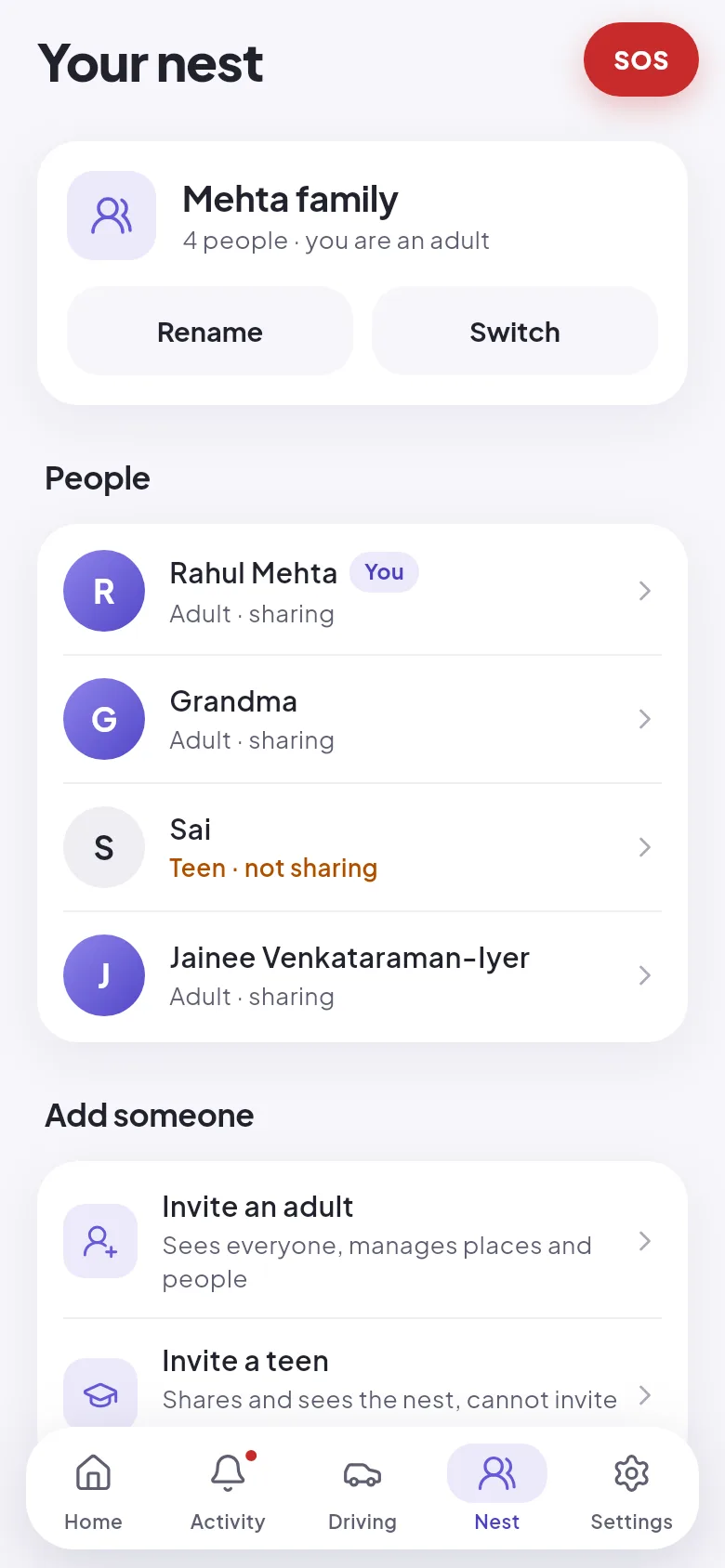
Adults manage the nest, its places and who is invited. Teenagers share and see everyone, but cannot bring new people in. Anyone, at any age, can pause their own sharing, and the nest is told.

  • Join with an invite code from someone you know
  • More than one nest, for example family and in-laws
  • Leave a nest whenever you want
The Nest screen listing four family members with their roles and whether each is sharing.

SOS and emergency contacts

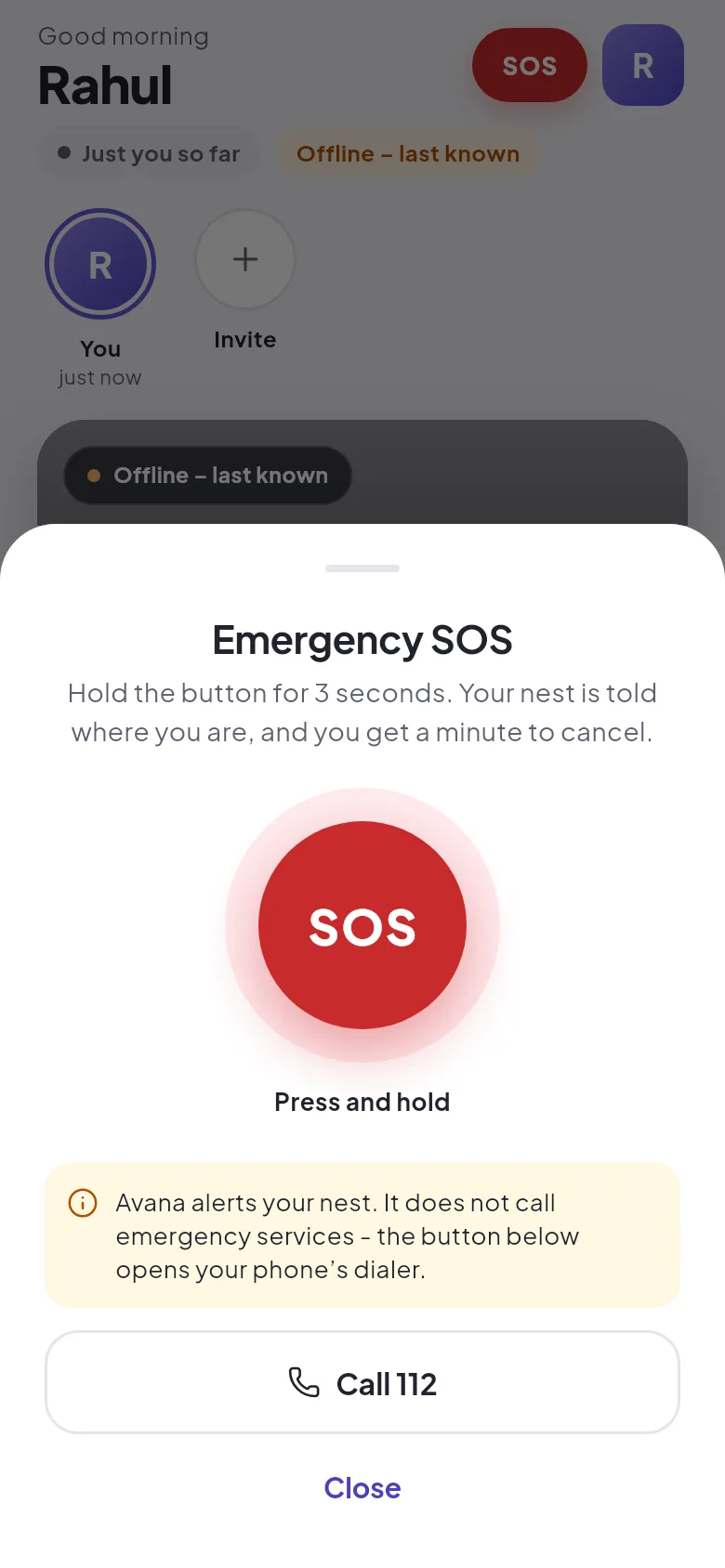
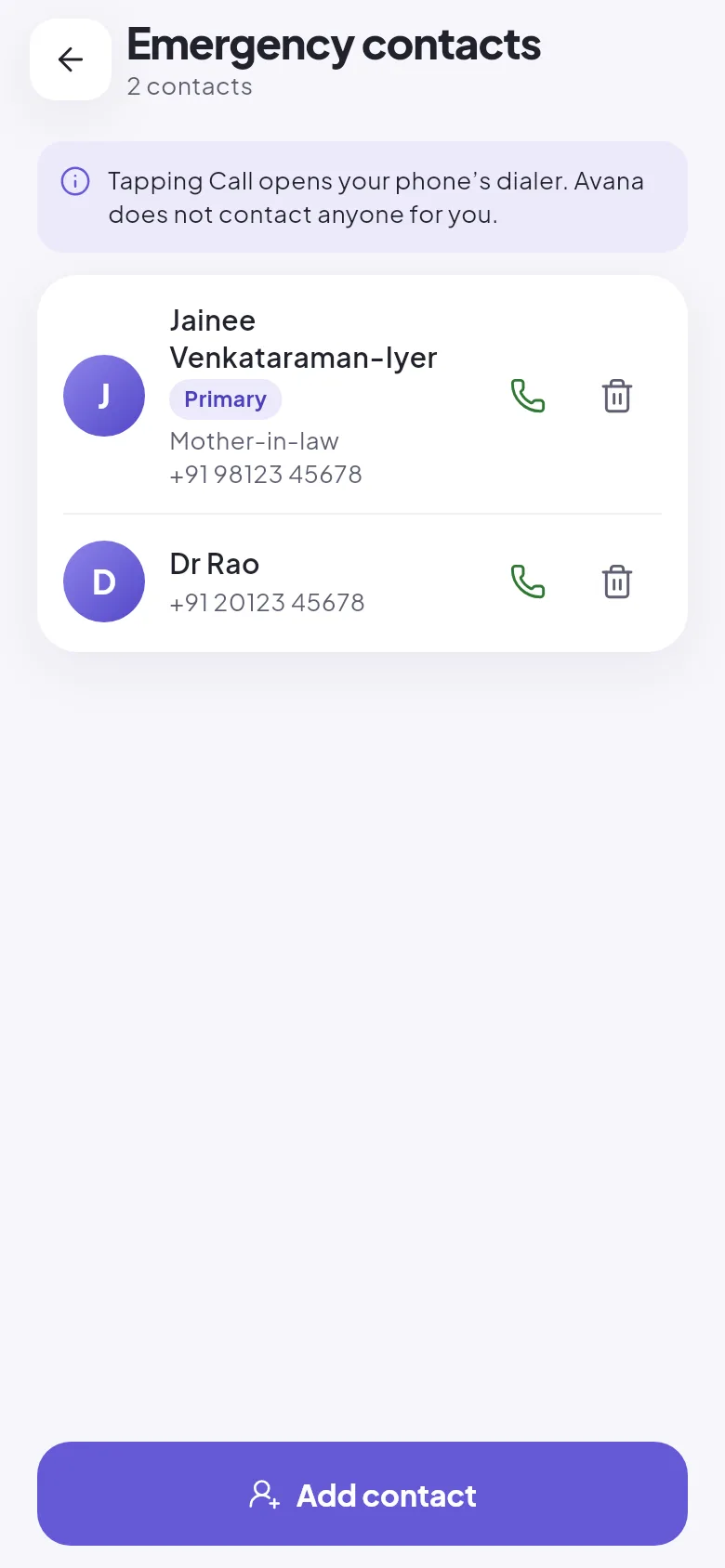
Hold the SOS button for three seconds. Your nest is alerted with your location and can open directions to you. You have one minute to cancel. Keep the numbers of a doctor or a neighbour in the app and call them in one tap.

  • A hold, so it does not go off in a pocket
  • A cancelled SOS is shown as cancelled to everyone
  • Call 112 from the same screen
The SOS sheet with a press-and-hold button and a Call 112 button.
The emergency contacts screen with two contacts and call buttons.

A check on someone living alone

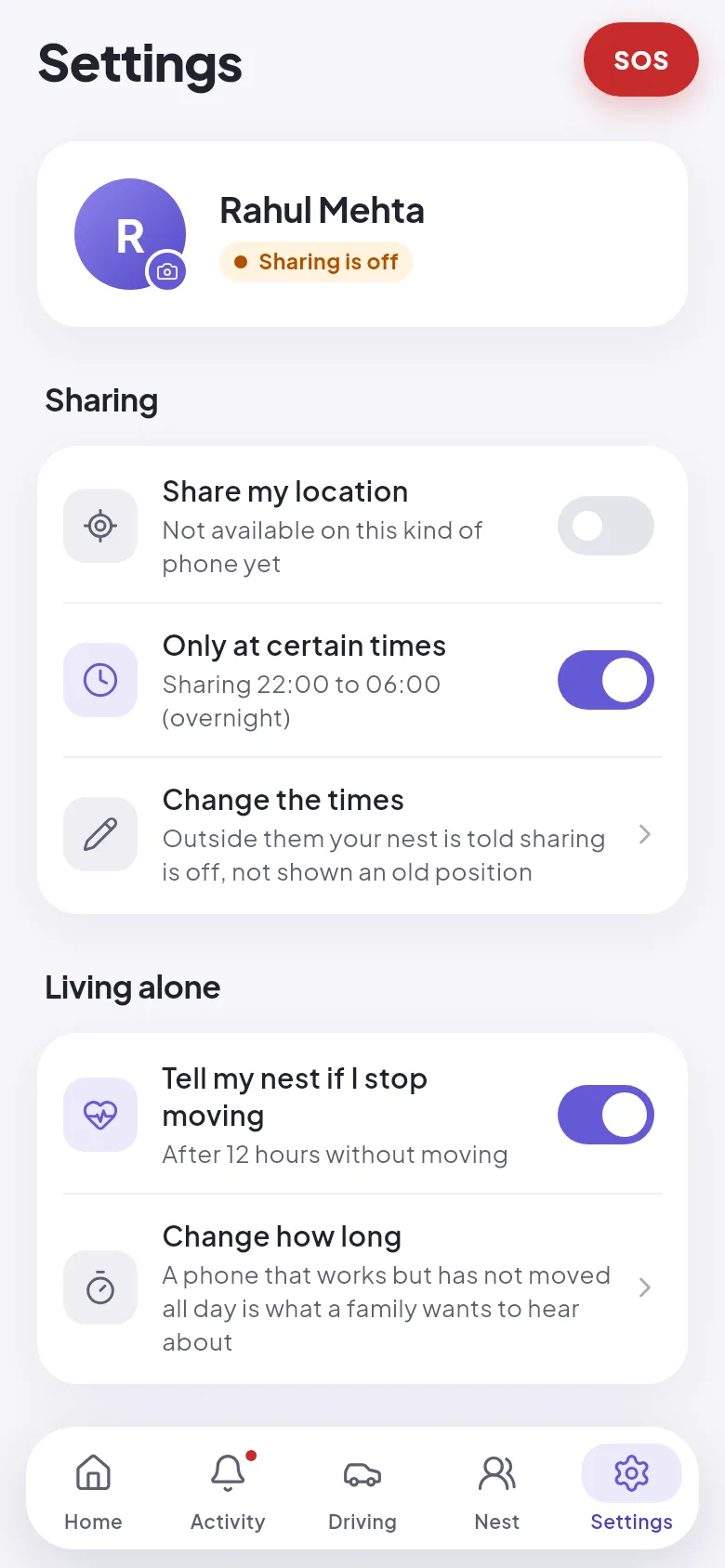
If a parent lives by themselves, they can ask Avana to tell the nest when their phone has not moved for a set number of hours. It is their switch to turn on, in their own settings.

  • The person being checked on chooses it
  • Pick how many hours counts as too long
  • Share only between set hours if you prefer
The Settings screen with switches for sharing, sharing only at certain times, and telling the nest if the phone stops moving.

Avana is not an emergency service

An SOS alerts the people in your nest. It does not call the police or an ambulance, and nobody at Avana is watching. In a real emergency, call 112. The app puts that button next to the SOS so you do not have to look for it.

What Avana does not do

A safety app that claims more than it delivers is dangerous. These are things you should not expect from Avana.

  • It does not call emergency servicesAn SOS goes to your nest only. Call 112 yourself.
  • It does not detect crashes or fallsNothing is raised automatically. Someone has to press SOS.
  • It does not listen or recordThe app never asks for the microphone.
  • It does not score anyone's drivingThe Driving tab shows rough distance and top speed worked out from location updates. It is an estimate.
  • It does not track someone secretlyA permanent notification shows on any phone that is sharing.
  • It does not work with location switched offIf a phone is off, out of battery or has no signal, Avana shows the last known position and says how old it is.

Coming next

Early access is about getting the basics right on Android. These are next, and neither exists yet.

Planned

A small 4G tracker

For a grandparent without a smartphone, a school bag or a pet. It joins the same nest as everyone's phones.

Planned

iPhone

Avana starts on Android, the phone most families in India use. An iPhone version follows.

Get early access

Avana is opening to families across India a few at a time. You get it free during early access and a direct line to the person building it. We get honest feedback.

  • Your family lives anywhere in India
  • At least two of you use Android phones
  • You are willing to tell us what does not work
Takes two minutes. No payment details.
Ask for early access

Or write to hello@avana.wrkflo-tech.com